Tag: VPN

  • Browse Safer on Windows: Practical Privacy Gains with iTop VPN

    Browse Safer on Windows: Practical Privacy Gains with iTop VPN

    Most browsing risks don’t feel dramatic in the moment. You open a link, log in to an account, join a public Wi‑Fi, or search for something personal. That normal activity creates a trail: your IP address, your DNS requests, and a lot of metadata that can be collected, blocked, or abused.

    A VPN is one of the simplest tools for tightening up everyday privacy. iTop VPN for Windows focuses on encrypted traffic, IP masking, and a set of add-ons that reduce tracking and exposure during routine browsing.​

    What is iTop VPN?

    iTop VPN for Windows is a VPN app that routes your internet traffic through VPN servers while applying AES-256 encryption and a no‑log policy.​

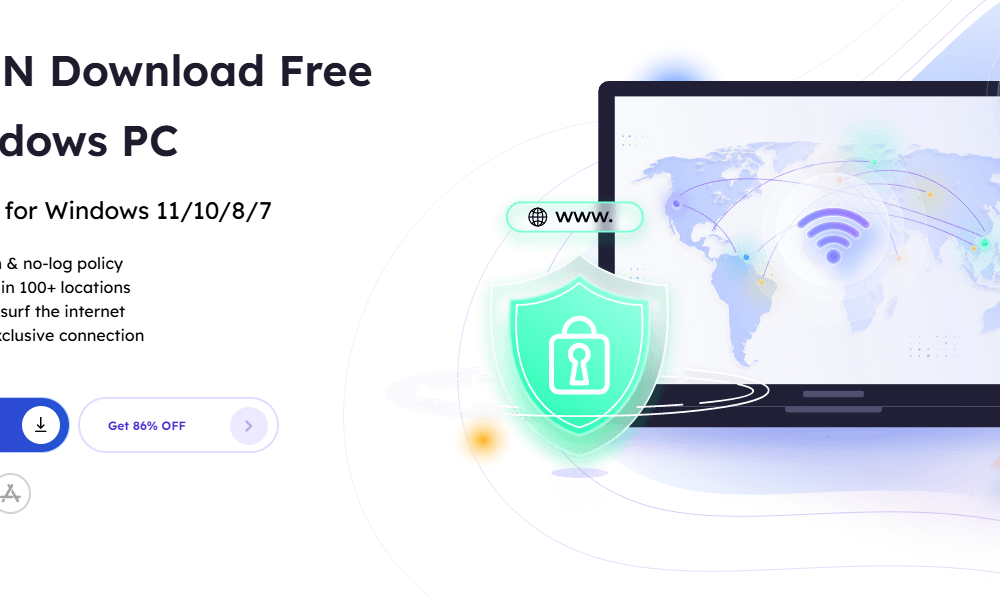
    The Windows version is presented as a free VPN option that can connect to free servers without login, with support for Windows 11/10/8/7 plus Windows on ARM.​

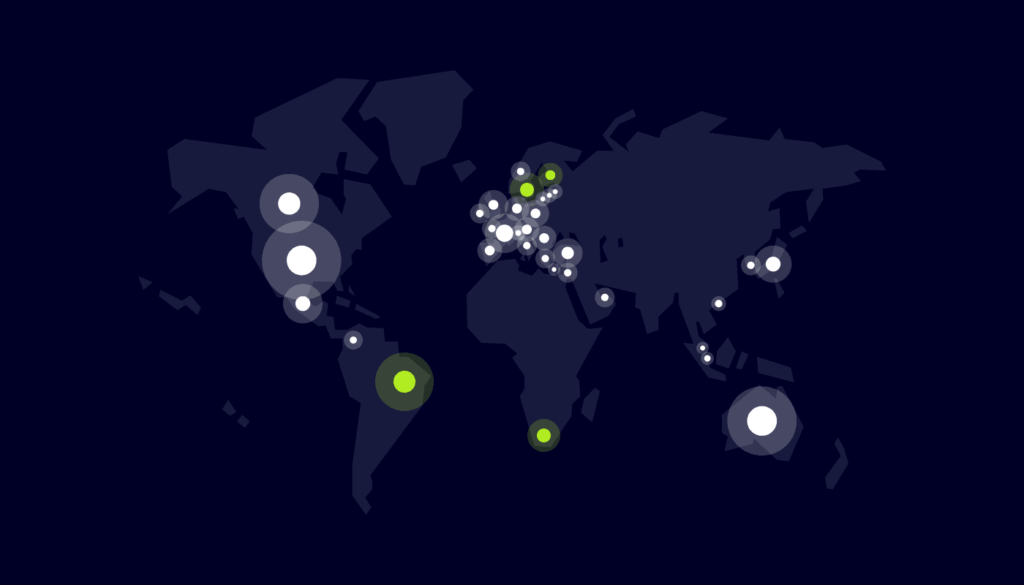
    It also highlights a large server pool, 3200+ servers across 100+ locations, so you can switch regions quickly when a site or network blocks access.​

    Benefits for safer, more private browsing

    Less exposure of your real IP address

    Recall how many sites use IP-based tracking, rate limits, and geo rules. iTop VPN assigns a new IP address after you connect to a server, which helps hide your original public IP during browsing sessions.​

    If you prefer a consistent identity for certain activities, iTop VPN also offers dedicated IP options in the US, UK, Canada, and Germany so you can connect with the same exclusive IP each time.​

    Encrypted traffic on public Wi‑Fi

    Public Wifi is convenient and also a common place for snooping and interception. iTop VPN states it safeguards your data with encryption to help prevent interception by ISPs, government monitoring, and third-party advertisers, which is useful when browsing on shared networks.​

    Fewer tracking surfaces while you browse
    Vpn

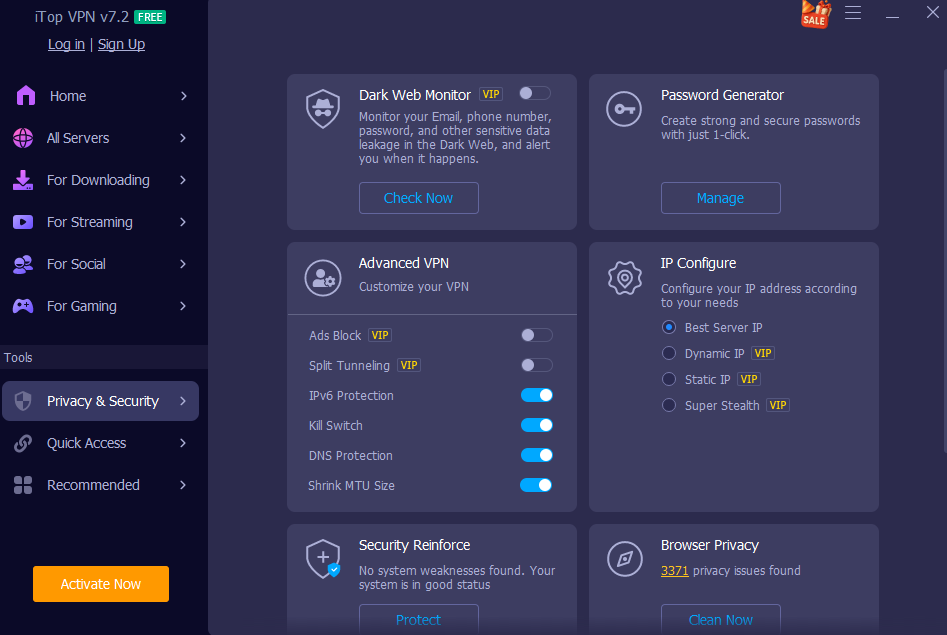
    Two features work well together for day-to-day browsing hygiene:

    • Browser Anti‑Tracking: iTop VPN can automatically clean browser traces and supports major browsers such as Chrome, Firefox, Edge, Safari, IE, and Waterfox.​
    • Ads Block: it includes an ad-blocking option aimed at blocking malicious ads and cutting pop-ups.​

    This combination is useful when browsing content-heavy sites that are packed with trackers, aggressive ads, and risky redirects.​

    Reduced leak risk during connection drops

    A VPN is only helpful while it’s connected. If the tunnel drops for a moment, traffic can jump back to the regular connection. iTop VPN includes a Kill Switch that automatically stops all internet traffic if the VPN connection switches off, then resumes when the VPN reconnects.​

    That feature is a practical guardrail for people who browse on unstable Wi‑Fi or move between networks during the day.​

    Better protection from DNS and WebRTC leaks

    Even with a VPN, browser-level leaks can expose identifying details.

    • DNS Leak Protection: iTop VPN states it prevents system DNS settings from being modified and reduces hijacking or spam risks.​
    • WebRTC Leak Protection: it targets a known browser vulnerability (called out for Firefox and Chrome) that may leak public and private IP addresses.​

    For privacy-minded users, these are useful because they focus on leak paths that many people never check.​

    Broader protocol options for restrictive networks

    Some schools, offices, and networks block common VPN traffic. iTop VPN includes three VPN protocols, TCP, UDP, and HTTPS, so you can pick a mode that works better for the network you’re on.​

    HTTPS mode can also be helpful on networks that inspect traffic closely, since it resembles regular secure web traffic.​

    Split tunneling to keep local services smooth

    Split tunneling routes some app traffic through the VPN while other apps use the local connection.​

    That can be handy if you want private browsing in a browser while keeping another app (like a local work tool) on the normal route.​

    Privacy posture backed by a No‑Log Policy

    iTop VPN states it sticks to a No‑Log Policy and will not track or record profile information.​

    For users who are serious about privacy, that statement matters because logs can turn a VPN into another data collector.​

    Extra account safety features

    Browsing privacy is tied to account security, since most browsing ends in logins.

    iTop VPN includes Dark Web Monitor, which scans dark web sites for leaked information and alerts you if your email, phone, or other information is detected.​

    It also includes a Password Generator that creates strong passwords with uppercase, lowercase, digits, and symbols, and it can store password history with remarks.​

    IPv6 support on compatible servers

    The Windows page mentions IPv6 servers and states that giving IPv6 higher priority allows Windows devices to connect to servers with IPv6 protocol while maintaining online security.​

    If you browse on networks that use IPv6 heavily, this option can help keep your VPN setup aligned with that environment.​

    Fast browsing without bandwidth caps

    If a VPN slows browsing too much, people stop using it. iTop VPN states it does not limit bandwidth speed and works to mitigate the influence of ISP throttling.​

    The product page also highlights unlimited data and bandwidth, with a focus on fast connection for streaming and gaming as well as browsing.​

    How to use iTop VPN for safer browsing (Windows)

    1. Download and install Go to the iTop official page and click the Free Download button: 

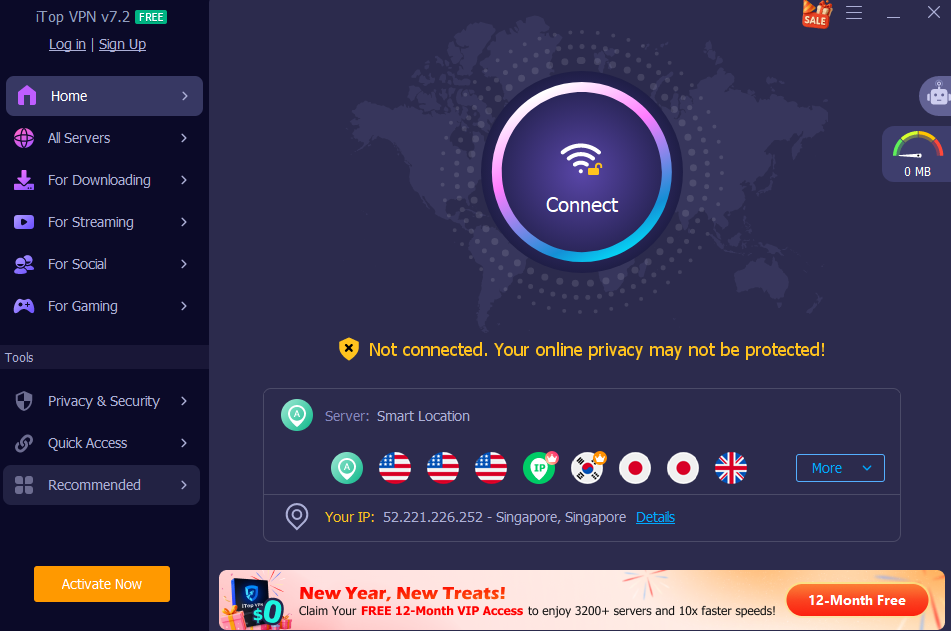
    2. Connect to a VPN server
    Vpn

    The setup steps on the page describe installing, launching, then connecting to a free VPN server without login.​

    3. Turn on privacy options that match your habits
    For everyday browsing, consider enabling Kill Switch, Ads Block, DNS leak protection, WebRTC leak protection, and browser trace cleanup.​

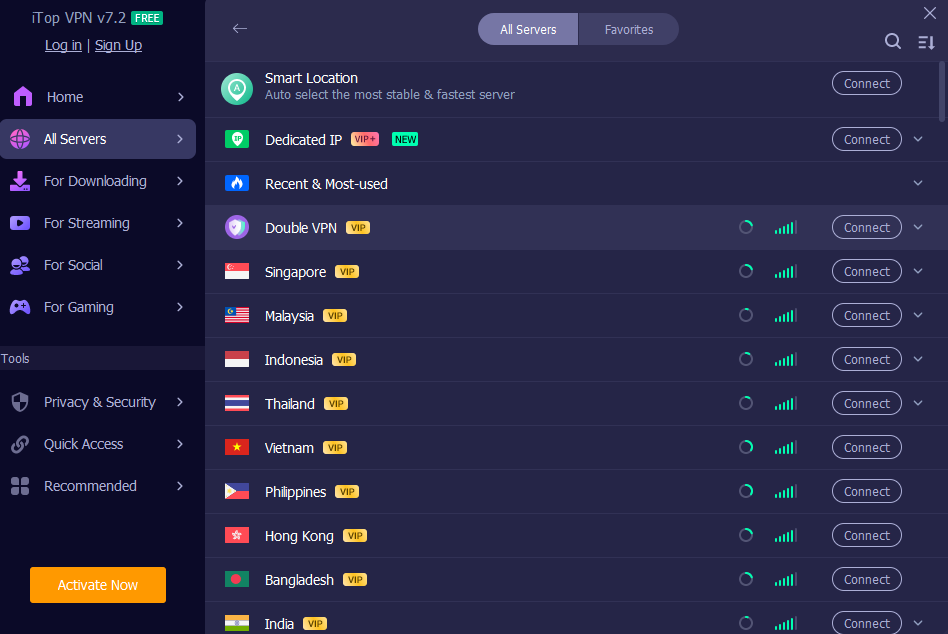
    4. Pick an IP style that fits the session
    Vpn

    Use the best server IP (fastest/closest) for regular browsing, a dedicated IP for consistency, or the smart location option for lower traceability.​

    5. Set it to start with Windows
    The Windows page notes a launch-on-startup option, so traffic is encrypted from the beginning of a session.​

    Conclusion

    Safe browsing is mostly about habits: encrypt your traffic, reduce leaks, cut trackers, and keep credentials strong. iTop VPN for Windows bundles those ideas into one app, encryption, server coverage, leak protection, Kill Switch, anti-tracking cleanup, ad blocking, dark web monitoring, and password generation.​


  • What to Look for Before You Download a VPN for Android

    What to Look for Before You Download a VPN for Android

    Our whole lives are in smartphones today. We check bank balances, send private messages and do online shopping using them on a daily basis. Android devices are very popular and powerful yet their popularity makes them a very big target by the cyber criminals. Unless you protect yourself, by accessing the internet, your sensitive personal information is being put at risk every single day by unknown dangers. Mobile traffic is monitored by hackers and aggressive advertisers all the time to steal passwords and follow you on your daily routine. Locking your smartphone is not an intelligent concept anymore but it is a necessity that everyone needs.

    The only sure thing to do is to add a virtual private network to your daily routine, thus ensuring the safety of your personal information is guaranteed to the fullest. Not every security application is made the same way and selecting the wrong application may actually increase your risk of losing your data. Being in control of the specifics of what matters the most will assist you in making the most intelligent decision when it comes to your own personal digital security.

    Well-defined Privacy Policy and Data Logging Regulations

    The main motive of using a security application is to ensure that your personal information is fully confidential. This implies that the company that offers the service should be fully reliable. Always verify their privacy policy before you download a VPN for Android. Most of the free services invisibly monitor your daily web browsing behavior and sell this precious information to aggressive marketers. This is totally un-purpose of having a privacy tool at all. A reliable service will never have a slack log policy. This implies that they do not in any way maintain a record of the sites that you visit or files that you download.

    They are not supposed to save your actual IP address or any other sensitive connection timestamp. When you read the privacy policy, you will know that your personal information is not in the hands of anyone. Nevertheless, it is extremely vital to select a provider that will treat your digital rights and reveals how they process your personal data in detail on a daily basis. Spending the time to ensure you confirm these logging guidelines will ensure that nobody on the outside sees your daily mobile browsing in any way or your corporate data brokers.

    High-speed Internet Connections and International Server Locations

    vpn

    Mobile internet encryption takes only a little more processing time. This may at times cripple your general speed of internet when the application is not well written. No one wants to wait to load web pages or to keep on buffering as she or he watches their favorite videos. The only solution to these irritating slowdowns is to select an application that gives very optimized global servers. It is highly advantageous to have access to a huge network of server locations globally. When one of the servers is too congested with other users and you can simply move to another place and immediately enhance your connection speed.

    The disadvantage of an unfair regional content restriction is also the best way to go around a large world of global network. You can readily switch to a virtual place and view shows and movies that are not otherwise accessible in your localities. The high quality applications are enhanced with high-quality routing technology so that your daily connection is horrendously quick and absolutely stable regardless of the place where you move. This smooth experience will enable you to stream in high definition and download files quickly and without several annoying interruptions.

    Strong Security and Heavy Encryption Measures

    vpn

    The key to a sound privacy application lies in the power of encryption. Encryption is the mathematical procedure that garbles your readable information into an encrypted code. You are in serious trouble when you use your smartphone to connect to an open public wifi network in a local coffee shop or an airport you are. Such free networks do not provide the basic security and it is incredibly easy to have your private passwords and financial information stolen by the hackers. The solution to this huge issue is a high quality security application, which encrypts all your mobile internet at military grade in a flash.

    This strict security will make sure that the cyber criminals only access random useless characters other than your real private messages. Also you should always seek an option known as an automatic kill switch. In case of any sudden drop of your secure connection due to some reason the kill switch will automatically disable your smartphone to access the internet. This will not make your actual IP address and non-encrypted data spill over by mistake. Heavy encryption plus an automatic kill switch offers the total digital protection to your every-day mobile life.

    Simple Navigation and User-Friendly Interface

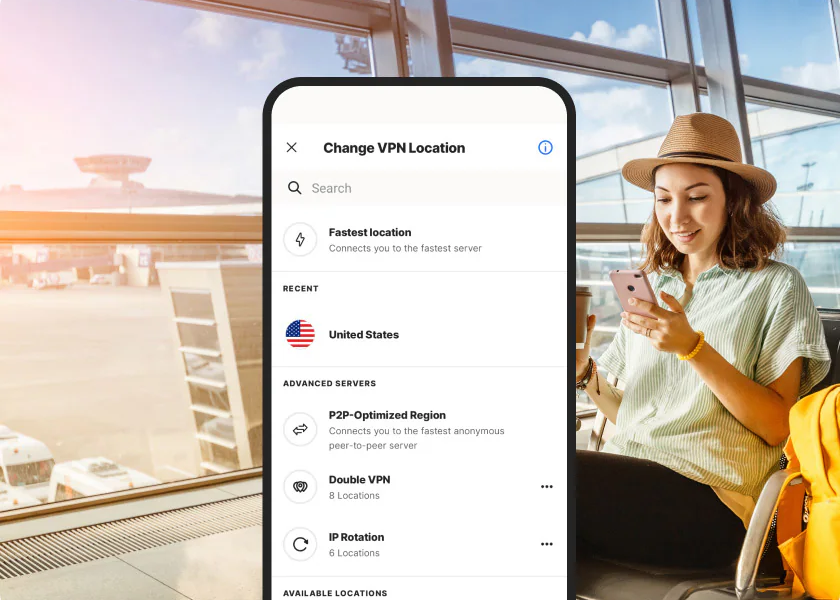
    Your life should not be complicated using mobile applications. Most security programs are loaded with technical terminologies and complicated settings drop-down menus that are irritating to ordinary users. In order to secure your smartphone, you should not have to have a doctoral degree in computer science. It has the best applications with a sleek and unbelievably simple user interface that is immediately comprehensible. One tap on your device should be all that it takes to protect your device. An easy design will mean that you can easily either switch the protection on or off when you feel the necessity. You are expected to navigate the list of servers all around the world and switch virtual location without having to scroll through the infinite seriously disorganizable menus.

    A simple navigation will make you begin using the application on a daily basis instead of having it offline since it is much easier to use it, as opposed to using it and not knowing how to navigate it. The best thing is to find the tool, which effectively balances strong security properties with a hundred percent daily easiness. This guarantees that your digital protection will be kept humming in the background being efficient and silent when you get to be fully engaged in your daily mobile life.

    Conclusion

    The process of securing your android device is also one of the best precautions to ensure that your online identity is intact. By simply taking this time to properly consider these important features, you will be guaranteed of the maximum protection ever. Strict privacy policies, high-speed global servers with heavy encryption criteria, and a simple interface are the priorities that ensure safe and extremely satisfying mobile experience. With the intelligent and knowledgeable decision one can be sure that he/she can browse the internet, control his own funds, and watch the content he/she loves in any part of the world without the slightest worry.